
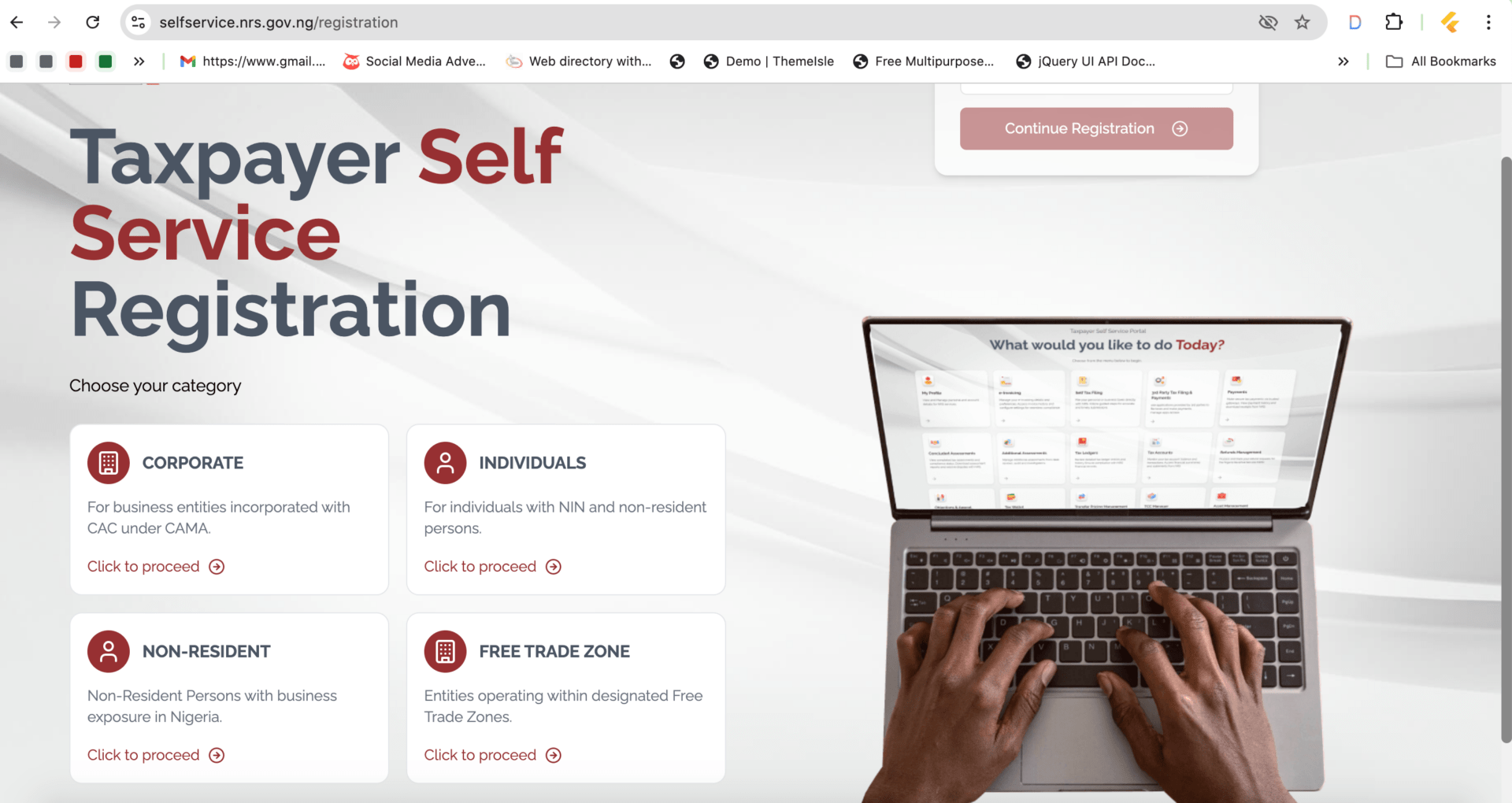
Nigeria’s Federal Inland Revenue Service (FIRS) has upgraded from TaxPro Max to the new digital tax platform called Rev360.
If your old blog post still mentions only TaxPro Max, this is the right time for a refresh before Google starts treating it like a museum exhibit with cobwebs and dial-up internet sounds
Here’s an updated structure you can use for your website article
What is Rev360?
Federal Inland Revenue Service introduced Rev360 as the upgraded replacement for TaxPro Max to improve taxpayer registration, tax filing, payment processing, and overall tax administration in Nigeria.
The platform allows businesses and individuals to:
Register for Tax Identification Number (TIN)
File taxes online
Generate payment references
Obtain Tax Clearance Certificates (TCC)
Manage company tax profiles
Access tax records digitally
Requirements for Rev360 Registration in Nigeria
Before registering on Rev360, ensure you have:
For Companies
CAC Registration Number
Registered Company Name
Active Email Address
Phone Number
Business Address
Director Information
For Individuals
Valid Means of Identification
Phone Number
Email Address
Residential Address
Step-by-Step Guide to Register on Rev360
Step 1: Visit the Rev360 Portal
Go to:
FIRS Rev360 Registration Portal
Click on Register.
—
Step 2: Select Taxpayer Type
Choose whether you are registering as:
Individual
Business Name
Limited Liability Company
Government Agency
NGO or Association
Step 3: Enter Your Business Details
Input:
CAC Registration Number
Business Name
Email Address
Phone Number
The system may automatically validate your CAC details.
Step 4: Verify Your Email Address
A verification link or OTP will be sent to your email.
Open the email and complete verification.
—
Step 5: Create Login Credentials
Set:
Username
Password
Security Questions
Keep these details safe like generator fuel during Lagos blackout season 🔐⚡
Step 6: Complete Tax Registration
After login:
Add tax categories
Confirm business address
Upload required documents if requested
Step 7: Generate Your TIN
Once approved, your Tax Identification Number (TIN) will be generated automatically.
You can then:
File taxes
Generate invoices
Apply for TCC
Make FIRS payments online
How to Migrate From TaxPro Max to Rev360
Existing TaxPro Max users do not usually need a fresh registration.
Most users can:
Login with existing credentials
Reset password if necessary
Update profile information on Rev360
If login issues occur, contact your assigned tax office or FIRS support.
Benefits of Rev360
Faster tax processing
Improved dashboard experience
Easier online filing
Better payment tracking
Digital access to tax documents
Simplified taxpayer management
—
Common Rev360 Registration Problems
Pending Approval
Some applications may remain pending for days or weeks depending on the assigned tax office review process.
Email Verification Issues
Check:
Spam folder
Correct email spelling
Stable internet connection
CAC Validation Errors
Ensure:
CAC details are accurate
Business is active on CAC records
How to avoid Scuml Application Rejection Step by Step Guide
Frequently Asked Questions (FAQ)
Is TaxPro Max still working?
TaxPro Max has largely transitioned into Rev360 as FIRS upgrades its tax systems.
Is Rev360 free to register?
Yes. Registration on Rev360 is free.
Can I get TCC from Rev360?
Yes, eligible taxpayers can process Tax Clearance Certificates through the platform.
Can I file taxes online with Rev360?
Yes. Rev360 supports online tax filing and payment processing.
Get a Dun & Bradstreet D-U-N-S® Number in Nigeria for Free: A Step-by-Step Guide
Final Thoughts
Rev360 is now the central digital tax platform for businesses and individuals dealing with FIRS in Nigeria. Whether you’re registering a new company, filing taxes, or applying for TCC, the platform is designed to simplify the process online.
For businesses, staying updated with the migration from TaxPro Max to Rev360 helps avoid confusion and keeps tax compliance running smoothly